How Does Digital Battery Passport Integration Work?
Connecting the systems, suppliers, and lifecycle data behind a scalable Battery Passport
As the February 2027 deadline for Digital Battery Passports approaches, the conversation is changing.
Most battery manufacturers already know that Battery Passports are coming. The bigger question now is not what is a Battery Passport? It is:
How do we actually connect all the data needed to create and maintain one?
That question is harder than it first appears.
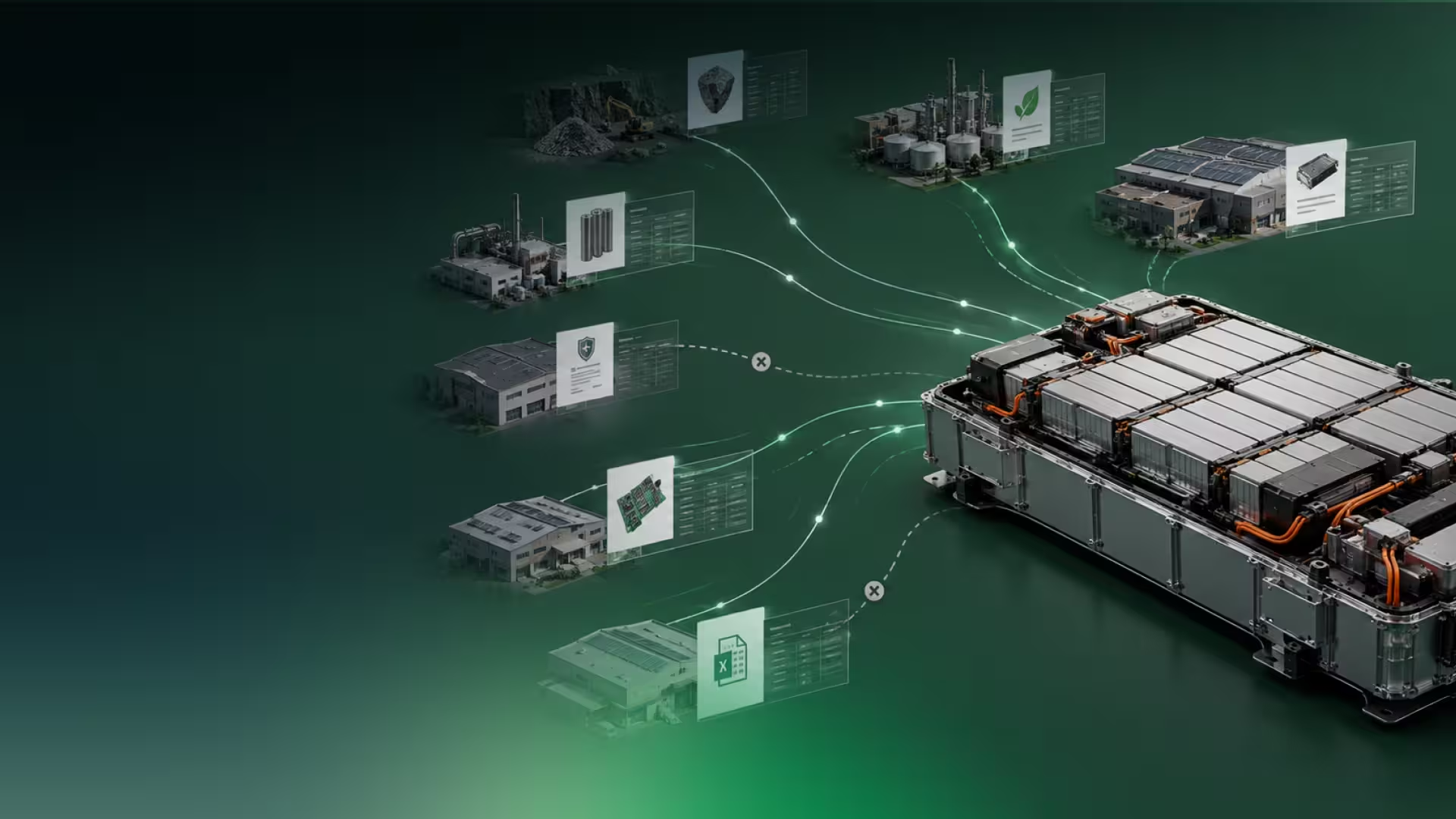
Battery Passport data rarely lives in one place. Product specifications may sit in a PLM system. Manufacturing information may come from ERP or MES platforms. Supplier declarations may arrive as spreadsheets, PDFs, certificates, or emails. Battery performance data may be stored in a Battery Management System. Service, repair, warranty, and end-of-life information may be managed by completely different teams.
A Digital Battery Passport brings all of this information together into a structured digital record. But to do that at scale, companies need more than a form to fill in. They need an integration strategy.
That does not always mean starting with a full API integration on day one. In many cases, the most practical path is to start with manual creation or CSV uploads, understand the data, validate the workflow, and then automate the parts that need to scale.
The goal is not simply to publish a passport page. The goal is to make Battery Passport data part of everyday business operations.
What is Digital Battery Passport integration?
Digital Battery Passport integration is the process of connecting the systems where battery data already exists with the platform used to create, manage, update, and share Battery Passports.
That can include connections to:
- ERP systems;
- PLM or PIM systems;
- MES or manufacturing databases;
- supplier files and platforms;
- Battery Management Systems;
- document repositories;
- carbon or LCA tools;
- service and warranty systems;
- customer apps or portals.
Some of these connections may be manual at first. Others may use structured file uploads. For high-volume production, API-based automation often becomes essential.
The important point is that integration is not a single technical feature. It is the way Battery Passport data moves from the real world of systems, suppliers, and lifecycle events into a compliant digital record.
Battery Passport data is already being created — just not in one place
One of the biggest misconceptions about Battery Passport implementation is that companies need to create all the required information from scratch.
In reality, much of the information already exists. It is just scattered.
Engineering teams may own technical specifications. Procurement teams may manage supplier declarations. Sustainability teams may hold carbon or due diligence data. Manufacturing teams may manage batch, plant, and serial information. Software or battery teams may control BMS data. Service teams may record repairs, replacements, or warranty events.
This is why Battery Passport implementation is not only a compliance project. It is also a data coordination project.
Before companies can automate anything, they need to answer practical questions:
- Which data already exists?
- Where is it stored?
- Who owns it internally?
- Which suppliers need to contribute?
- Which data is missing?
- Which information is public?
- Which information is confidential?
- Which data changes over time?
- Which systems need to connect?
A successful integration strategy starts with these questions.
Which systems usually connect to a Battery Passport?
A complete Battery Passport may bring together information from several systems and teams.
ERP
• Typical Battery Passport data: product records, orders, shipments, suppliers, plant data, commercial information
PLM / PIM
• Typical Battery Passport data: product specifications, battery model data, technical attributes, documentation
MES
• Typical Battery Passport data: manufacturing dates, batch information, production location, serial numbers
Supplier systems
• Typical Battery Passport data: declarations, component data, material data, certificates, due diligence evidence
BMS
• Typical Battery Passport data: State of Health, State of Charge, remaining capacity, cycle count, temperature
LCA / carbon tools
• Typical Battery Passport data: carbon footprint values, methodology outputs, reports
Document repositories
• Typical Battery Passport data: test reports, declarations of conformity, certificates, evidence files
Service systems
• Typical Battery Passport data: repair history, replacement records, warranty events, refurbishment information
Customer apps / portals
• Typical Battery Passport data: customer-facing passport views, warranty data, service information
Not every company will connect all of these systems at once. In fact, most will not.
The right approach depends on the company’s data maturity, production volume, internal IT architecture, supplier readiness, and implementation timeline.
You do not need perfect automation on day one
Many companies delay Battery Passport implementation because they assume everything needs to be ready before they start.
Every supplier aligned.
Every data point available.
Every API mapped.
Every internal system connected.
Every delegated act fully clarified.
In practice, waiting for perfect readiness often creates more risk.
A better approach is to begin with a manageable pilot. This could mean creating passports for one battery model, one product line, or one representative use case. The first goal is not to automate everything. The first goal is to understand the data.
During a pilot, companies can test:
- which fields are available;
- which fields are missing;
- how supplier data will be collected;
- which teams need to be involved;
- how public and private information should be separated;
- whether CSV upload is enough for the first phase;
- where API automation will be needed later.
This is why Minespider supports different integration paths.
Companies can begin manually, use CSV or Excel imports to create multiple passports, and move toward API-based automation when the workflow is clear.
The three main Battery Passport integration paths
There are usually three levels of integration.
1. Manual passport creation
Manual creation is useful at the beginning.
It helps companies learn what Battery Passport implementation actually requires before investing in automation. Teams can enter data directly into the platform, review which fields are easy to complete, identify missing information, and understand which internal or supplier workflows need to be improved.
Manual creation works well for:
- early pilots;
- low-volume use cases;
- data gap analysis;
- regulatory workshops;
- testing public and private data layers;
- validating the passport structure.
It is not designed for high-volume production, but it is often the fastest way to start.
2. CSV or Excel batch upload
Once a company has structured data, batch upload can reduce manual work significantly.
CSV or Excel imports are useful when companies want to create or update many passports at once, but are not ready for a full technical integration. For example, a company might export product data from an internal system, enrich it with supplier information, and upload it into the passport platform.
Batch upload works well for:
- creating multiple passports at once;
- testing field mapping;
- importing supplier data;
- moving from pilot to rollout;
- reducing manual entry;
- preparing for API automation.
For many companies, CSV upload is the bridge between early implementation and production-scale automation.
3. API-based automation
APIs become important when Battery Passport workflows need to scale.
For high-volume producers, manual entry or file upload is often not practical. If a company needs to create thousands of passports, update data regularly, connect BMS values, or display passport information inside its own systems, API integration becomes the right path.
API automation can support:
- battery model creation;
- individual passport creation;
- static data updates;
- dynamic data updates;
- fleet-level updates;
- QR-code and identifier workflows;
- customer app or portal integration;
- supplier data workflows;
- lifecycle event updates.
APIs are not the whole integration story. But they are the automation layer that allows Battery Passports to become part of production and lifecycle operations.
When do APIs become necessary?
APIs are usually needed when the passport workflow becomes too large, too frequent, or too connected to manage manually.
This often happens when a company needs to:
- create passports for high production volumes;
- update data across many batteries or models;
- connect ERP, PLM, MES, or data lake systems;
- push dynamic BMS data;
- display passport data in a customer app;
- automate QR-code or identifier workflows;
- manage lifecycle events such as repairs or replacements;
- support supplier data exchange at scale.
A good rule of thumb is this:
Manual and CSV workflows help companies learn. APIs help companies scale.
Technical teams need workflows, not just API endpoints
When companies ask about API integration, they are not only asking whether endpoints exist.
They usually want to understand the process.
For example:
- How do we generate API keys?
- How do we create a battery model?
- How do we create an individual Battery Passport?
- How do we update static data?
- How do we push dynamic data?
- How do we update thousands of passports if supplier data changes?
- How do identifiers connect to the passport?
- How does the QR code work?
- How do we test before going live?
This is why API documentation should be paired with workflow guidance.
A technical team may understand APIs perfectly, but still need to see how the Battery Passport process fits together from model creation to production rollout.
For non-technical stakeholders, workflow diagrams are just as important. Compliance, product, procurement, and operations teams need to understand what will happen to the data before they can define responsibilities.
Static data and dynamic data need different integration strategies
Not all Battery Passport data behaves the same way.
Some data is relatively stable. Other data changes over time. Treating both in the same way can create unnecessary work.
Static battery data
Static data is information that rarely changes.
Examples include:
- battery model;
- chemistry;
- dimensions;
- manufacturing location;
- product specifications;
- warranty dates;
- declarations of conformity;
- certificates;
- test reports;
- compliance documents.
This kind of data can often be managed at the battery model level and reused across many passports.
For example, if thousands of batteries share the same model-level specifications, those values should not need to be entered thousands of times.
Dynamic battery data
Dynamic data changes during the battery lifecycle.
Examples include:
- State of Health;
- State of Charge;
- remaining capacity;
- cycle count;
- temperature;
- BMS values;
- software or firmware updates;
- service events;
- repair records;
- accident or negative event records;
- end-of-life status.
Dynamic data usually requires a more advanced integration strategy. It may come from a Battery Management System, service platform, internal database, or customer system.
The key question is not only can this data be connected? It is also:
Which dynamic data is meaningful, where is it stored, and how often should it be updated?
Some information may be updated periodically. Other information may only need to be updated when a specific event happens, such as a repair, replacement, refurbishment, or ownership transfer.
Battery Passport integration should respect data levels
A scalable Battery Passport workflow needs to know which data belongs where.
Some information applies to a battery model. Some applies to an individual battery. Some applies to a batch, shipment, document, or lifecycle event.
Battery model
• Example: chemistry, dimensions, product specifications
Individual battery, module, or pack
• Example: serial number, identifier, manufacturing date
Batch or shipment
• Example: quantity, destination, shipment-specific supplier data
Document
• Example: declarations, certificates, test reports
Lifecycle event
• Example: repair, replacement, refurbishment, ownership transfer
Dynamic measurement
• Example: State of Health, State of Charge, cycle count, temperature
This matters because poor data modelling creates unnecessary duplication.
A strong integration strategy allows companies to reuse model-level data, update individual battery data when needed, and record lifecycle events without recreating the entire passport each time.
Connecting supplier data is often the hardest part
Battery Passport data does not stop at the company boundary.
Many required data points may come from suppliers. This can include:
- component information;
- material data;
- supplier declarations;
- recycled content information;
- due diligence evidence;
- test reports;
- certificates;
- supporting documentation.
The challenge is that suppliers do not all work in the same way.
Some suppliers may have structured systems and exports. Others may provide PDFs, spreadsheets, emails, or certificates. Some may be ready for API-based exchange. Others may need a simple template or direct platform input.
A practical supplier data strategy should support different levels of readiness.
Supplier data may be collected through:
- direct platform input;
- structured templates;
- CSV or Excel files;
- document uploads;
- ERP exports;
- API-based exchange;
- connected supplier passport workflows.
The other challenge is confidentiality.
Supplier information may include commercially sensitive data. A Battery Passport integration strategy should therefore consider not only how supplier data is collected, but also who can access it once it is in the passport.
Integration is also about outputs, not only inputs
When people think about integration, they often focus on getting data into the passport.
That is only half the story.
Companies also need to decide how passport data will be accessed.
Battery Passport information may need to appear through:
- a QR code on the physical battery;
- a public passport page;
- an authenticated private view;
- a customer app;
- a service portal;
- a regulator workflow;
- a recycler or second-life operator process;
- an internal dashboard.
This is important because different users need different information.
A customer scanning a QR code may only need public information. A regulator may need access to compliance data. A service partner may need repair or warranty information. A recycler may need end-of-life information. A supplier may need access only to the data they are responsible for providing.
A good Battery Passport integration strategy therefore includes visibility and access control from the beginning.
It should answer:
- Which data is public?
- Which data is private?
- Which users need authenticated access?
- Which suppliers can contribute or view data?
- Which lifecycle partners need access later?
- How are changes tracked?
- How is historical information preserved?
Identifiers and QR codes need to be planned early
A Battery Passport is only useful if the physical battery can be reliably connected to its digital record.
This requires a clear identifier strategy.
For Battery Passports, companies may need to consider:
- the Unique Battery Identifier;
- the Unique Battery Passport Identifier;
- QR-code structure;
- internal serial numbers;
- GS1 Digital Link or other identifier schemes;
- public passport URLs;
- registry-related requirements;
- redirect or gateway strategies.
These decisions should not be left until the end of implementation.
If QR codes are printed before the identifier strategy is clear, companies may create unnecessary complexity later. If identifiers are sequential or predictable, companies may need to consider scraping risks. If passport versions change, users should still be directed to the latest active version without needing a new physical label.
A good integration workflow connects:
Physical battery
↓
Identifier / QR code
↓
Battery Passport record
↓
Public and private data layers
↓
Lifecycle updates and version history
The QR code is the visible part. The integration behind it is what keeps the record accurate over time.
Public and private data must be handled carefully
Battery Passports are designed to make information more accessible. But that does not mean every piece of information should be public.
Most Battery Passport implementations involve a mix of:
- public information;
- restricted information;
- supplier-sensitive information;
- customer-specific information;
- regulator-accessible information;
- lifecycle or service data.
This is why access control is a core integration topic.
If data is flowing from ERP, PLM, BMS, suppliers, and service systems into one passport workflow, companies need to know how visibility is managed.
A strong platform should support:
- public passport views;
- private or authenticated layers;
- permissioned access;
- supplier access;
- customer access;
- regulator access;
- recycler or service partner access;
- audit logs;
- version history.
For many companies, this is one of the most important parts of Battery Passport integration. They need to comply with transparency requirements while still protecting confidential business and supply-chain information.
Documents and evidence need to stay connected to the record
Battery Passports are not only structured fields.
They may also include or reference supporting documents such as:
- EU Declarations of Conformity;
- CE-related documentation;
- test reports;
- certificates;
- due diligence evidence;
- supplier declarations;
- service records;
- recycling information;
- accident or negative event records.
These documents need to stay connected to the correct battery, model, batch, or lifecycle event.
This is another reason integration matters. If structured data lives in one place and supporting documents live somewhere else, it becomes difficult to prove where a value came from or whether a passport is complete.
A good Battery Passport workflow connects data and evidence together, so companies can maintain a reliable audit trail over time.
A practical implementation path
Battery Passport integration works best when it is phased.
Trying to automate everything immediately can slow the project down. Starting with a clear data map and a realistic pilot usually creates a stronger foundation.
A practical implementation path may look like this.
1. Data discovery
Identify:
- which batteries are in scope;
- which passport fields are required;
- which data already exists;
- where each data point is stored;
- who owns each data source;
- which suppliers need to contribute;
- which information is missing.
2. Data mapping
Map each field to:
- a source system;
- a responsible team;
- a format;
- a visibility level;
- a document or evidence source;
- an update frequency, where relevant.
3. Pilot passport creation
Create initial passports manually or through CSV upload.
Use this phase to test:
- passport structure;
- data availability;
- public and private fields;
- supplier inputs;
- documents;
- identifiers;
- QR-code access.
4. Integration planning
Decide which workflows need automation.
This may include:
- ERP or PLM integration;
- BMS data flows;
- supplier data exchange;
- customer app access;
- QR-code workflows;
- lifecycle event updates;
- middleware or data lake architecture.
5. API testing
Once workflows are clear, technical teams can test:
- API keys;
- model creation;
- passport creation;
- static data updates;
- dynamic data updates;
- fleet-level updates;
- identifier and QR-code linking;
- access-control behavior.
6. Production rollout
Finally, companies can expand the workflow across:
- additional battery models;
- production lines;
- suppliers;
- lifecycle events;
- service workflows;
- recycling or second-life processes;
- future regulatory updates.
The goal is not to have everything perfect on day one. The goal is to build a foundation that can scale.
Common questions about Battery Passport integration
Can we start without API integration?
Yes. Many companies begin with manual passport creation or CSV/Excel upload while they validate data structures and identify gaps. API integration usually becomes important when companies need high-volume creation, recurring updates, dynamic data, or production-scale workflows.
Can a Battery Passport connect to ERP or PLM systems?
Yes. ERP, PLM, PIM, MES, and data lake systems can provide product, manufacturing, supplier, and technical data to a Battery Passport platform. The right architecture depends on the customer’s IT systems and data governance.
Can we upload many passports at once?
Yes. Structured CSV or Excel uploads can support batch creation and updates. This is often useful before full API automation is ready.
Can BMS data be connected?
Yes. BMS data such as State of Health, State of Charge, cycle count, temperature, and other operational values can be connected through API-based workflows, depending on how the data is measured and stored.
How often should dynamic data be updated?
It depends on the data type, battery category, business need, and regulatory expectations. Some updates may be periodic, while others may be triggered by lifecycle events such as repairs, replacements, or ownership changes.
Can suppliers provide data directly?
Yes. Supplier data can be collected through direct input, structured templates, CSV or Excel files, document uploads, ERP exports, or API-based exchange where suppliers are ready.
Can passport data appear in our own app or portal?
Yes. Battery Passport data can be connected to customer-facing apps, service portals, or internal systems, depending on the integration architecture.
Who builds the integration layer?
It depends on the project. Some companies build their own middleware or data lake connection. In other cases, implementation support or partner-supported integration may be needed. The right approach depends on internal IT capacity, system complexity, and the desired level of automation.
How Minespider supports Battery Passport integration
Minespider supports companies at different stages of Battery Passport readiness.
Some teams are still identifying required data and supplier gaps. Others are preparing high-volume API-first production workflows. Many are somewhere in between.
The platform is designed to support a phased path from early implementation to automation, including:
- manual passport creation;
- CSV and Excel batch upload;
- AI-assisted extraction from documents;
- API-based automation;
- static and dynamic data workflows;
- supplier data collection;
- public and private data layers;
- QR-code and identifier workflows;
- version history and audit trails;
- lifecycle event updates;
- implementation support and API documentation.
This allows companies to start with the workflows they have today, then scale toward more automated Battery Passport operations over time.
Battery Passport integration is the foundation for scale
Digital Battery Passports will become an important part of battery compliance, transparency, circularity, and lifecycle management.
But their success depends on more than creating a digital record.
Companies need a way to connect the systems, suppliers, and lifecycle processes that generate battery information. They need to bring together ERP, PLM, MES, BMS, supplier data, documents, service records, and customer-facing workflows in a way that is structured, reliable, and scalable.
That is what integration makes possible.
A Battery Passport should not become another disconnected compliance process. It should become a connected layer of operational infrastructure — one that supports accurate data, controlled access, supplier collaboration, lifecycle updates, and long-term regulatory readiness.
For companies preparing for 2027, the best time to start is before everything feels perfectly ready.
Start with one battery model. Map the data. Understand the gaps. Test the workflow. Then automate what needs to scale.
Ready to connect your Battery Passport data?
Ready to connect your existing systems to Digital Battery Passport workflows?
Explore the Minespider API documentation for technical details on endpoints, authentication, and integration workflows — or book an integration demo to discuss your ERP, PLM, BMS, supplier, and lifecycle data requirements.